Open accessibility menu Skip to page content

Social media marketing made easy

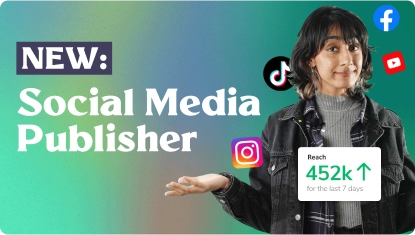
Create, manage, and publish social media content directly from PosterMyWall. Grow your brand with our all-in-one social media marketing tool.

Social media marketing made easy

Create, manage, and publish social media content directly from PosterMyWall. Grow your brand with our all-in-one social media marketing tool.

Placeholder image

Create the perfect post for every platform

Everything you need to make your socials pop!

Everything you need to make your socials pop!

Reach your audience in a snap

Reach your audience in a snap

Take control of what you share and when. Schedule stories, carousels, and posts at the right time.

Take control of what you share and when. Schedule stories, carousels, and posts at the right time.

Social media analytics for every platform

Social media analytics for every platform

PosterMyWall pulls performance data from every platform you post to: Facebook, Instagram, TikTok, X, YouTube (Shorts), Threads, LinkedIn, Pinterest, and Google Business Profile. See reach, likes, views, shares, saves, and comments side by side, so you can spot what’s landing and what’s not without the guesswork.

PosterMyWall pulls performance data from every platform you post to: Facebook, Instagram, TikTok, X, YouTube (Shorts), Threads, LinkedIn, Pinterest, and Google Business Profile. See reach, likes, views, shares, saves, and comments side by side, so you can spot what’s landing and what’s not without the guesswork.

Manage your social media schedule

Manage your social media schedule

Schedule social media posts from a simple calendar. They go out automatically!

Schedule social media posts from a simple calendar. They go out automatically!

  • The Content Planner tracks what’s going out and when. See what you have scheduled, move posts around, or schedule a new post from one place.

  • Get inspiration from pre-marked holidays and special events. Never miss a key moment to connect with your audience!

  • View your entire social media marketing plan in one place.

Level up your social media with easy content creation tools

Amazing social media content starts with our easy-to-use design tools.

Amazing social media content starts with our easy-to-use design tools.

  • Wrong size? Instantly resize any post in one click. It’s that fast!

  • Make dynamic content with animations, filters, stickers, and more.

  • Our drag-and-drop editor makes it easy to customize social media designs fast!

How to use PosterMyWall’s social media marketing tool

Discover more awesome marketing tools

Level up with Premium


Frequently asked questions

What is social media management?

Social media management refers to the strategic planning, implementation, and organization of a brand’s online presence across multiple social platforms.

Social media management is all about:

  1. Content creation - including designs, videos, and messaging that reflects the brand’s voice and aligns with the target audience.
  2. Optimizing content for each social media platform. Since each social platform caters to different interests, social media managers choose platforms that best align with their audience and content for maximum visibility.
  3. Scheduling and publishing. An integral part of social media management is choosing the right time to publish. Managers often use scheduling tools to plan and automate posts following a posting schedule.
  4. Analytics and monitoring. Social media management includes analyzing data to refine strategies, research trends, and measure how audiences engage with content.
  5. Audience engagement. Interacting with audience members through comments or direct messages is important to build customer relations.
  6. Ad campaign management. Social media managers oversee paid advertising across platforms including budgeting, targeting and optimizing ad performance.

PosterMyWall’s social media marketing tool makes social media management easy. It’s one platform to create, schedule, and auto publish all your social media accounts. 

How do I publish a post to social media from PosterMyWall?

Posting a design to your social media is easy:

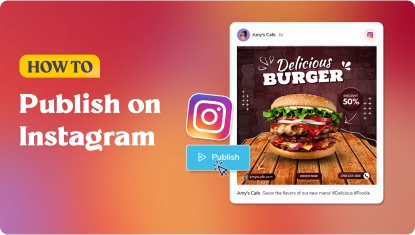
  1. Click "My Social Posts"
  2. Select a design from our library of social media templates and poster templates
  3. Connect your social media accounts in a click
  4. Select the social media accounts you want to publish to
  5. Add a caption with AI captions and edit for each post
  6. Click "Publish"!

You can also publish instantly when you’re done customizing a social media template on PosterMyWall’s design editor. Click “Publish” in the top right corner and select “Social media.” From there, pick the social account you want to post to, add any text, and publish.

Can I use PosterMyWall’s social media marketing tool for free?

Yes, anyone can try out PosterMyWall’s social media scheduling tool for free! Simply connect your social media account, select a design to publish, and enjoy publishing to your selected social account.

If you’re a premium user, you get the added benefit of connecting to all social media platforms, and enjoy unlimited scheduling and posting.

Why aren’t my PosterMyWall social media analytics updating?

Social media metrics update in batches, so it can take up to a day for complete metrics to show up. Some baseline metrics such as likes and views can show up almost instantly, while others take longer to update. You can also manually fetch metrics by clicking “Update now” when viewing individual post performance.

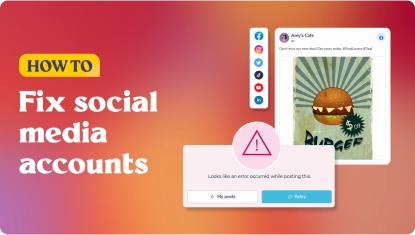
If your data is still stuck after a day, your channel may have disconnected or lost permissions, try refreshing or reconnecting it to restore data collection.

Can I see data for all social media platforms on PosterMyWall, including newer ones like Threads?

PosterMyWall’s social media metrics are available for all supported platforms: Instagram professional accounts, Facebook Pages, X, TikTok, Pinterest, LinkedIn Pages, Google Business Profile and Threads.

However, the time it takes for performance metrics to appear on your PosterMyWall dashboard can vary according to each platform. We recommend waiting a day for complete metrics to be fetched and updated on your PosterMyWall account.

How do I schedule my social media posts to publish automatically?

Scheduling social media posts is fast and easy. Once you have selected your designs and social platforms to publish to, click the “Schedule” button on top. Select a custom date and time you want to publish on and your post is scheduled!

PosterMyWall’s social media scheduler is a premium feature. Free users can publish their selected posts instantly.

What social media channels can I publish to from PosterMyWall?

You can publish to all major social media platforms directly from PosterMyWall! Customize templates for Facebook, Instagram, TikTok, X, YouTube (Shorts), Threads, LinkedIn, Pinterest, and Google Business Profile - and start publishing!

PosterMyWall also supports publishing Reels and TikTok videos.

How many social media posts can I publish and schedule?

There is no limit on the number of posts anyone can publish to their selected social media platforms. However, scheduling is unavailable under PosterMyWall free plans.

Premium users enjoy scheduling and publishing to multiple social media platforms! View plans here.

How do I generate captions for social media?

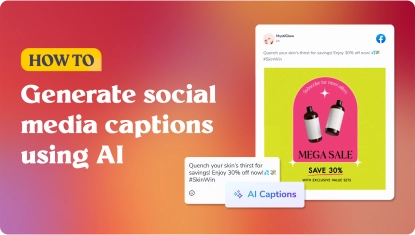
Writing captions for several social posts can get difficult. For when you’re feeling uninspired, PosterMyWall’s AI assistant makes writing the perfect caption so much easier.

Once you’re writing a caption for your selected post:

  1. Click the AI Captions button
  2. Enter a prompt
  3. Select the length, tone, and style
  4. Enjoy the several options generated in seconds

You can even add hashtags to maximize your reach - it’s that quick!